How to choose a trail camera: what really matters
Short answer: start with the job the camera has to do (watching game, guarding a remote property or both), then decide how you want to receive images: on the SD card only, over Wi-Fi on site, or over 4G to your phone. Judge a camera by its real night image, trigger speed, detection range and running costs over 12–24 months, not by the megapixels or the “4K” printed on the box.
Legal note: this guide is general information, not legal advice. Rules on where and how trail cameras may be used, especially where people, public paths or neighbouring land could be recorded, differ between EU countries and regions. Check the law where you install the camera, use it lawfully only, and note that we accept no liability for how a camera is used.
A good trail camera is the one that reliably catches the animal or the visitor you care about, sends you a usable image in time and does not quietly cost you more every month than you planned. The spec sheet tells you surprisingly little about that. This guide walks through the decisions in the order we use with customers, explains which numbers you can trust and which you should ignore, and shows where the GardePro models we sell fit in.
1. Define the job before you compare cameras
Hunting and wildlife observation ask different things of a camera than property security, and the right model follows from that.
- Game and wildlife: you want a fast trigger so the animal is in the frame and not just its tail, a long detection range for feeding sites and field edges, and a night image that lets you tell one animal from another. Photos are often enough; short video helps you judge behaviour.
- Security of a cabin, stand, orchard or building site: video becomes more important than photos, because a sequence shows what actually happened. You also want the camera to tell you quickly, so a 4G model is usually the right choice, and a camera password is worth having in case the camera is taken.
- Both: choose a 4G camera with good video and the option to look at the site live when an alert arrives.
Write down how often you can visit the site. A camera you check every week can run on an SD card. A camera two hours’ drive away should send images to your phone, otherwise you only find out on your next visit that it stopped working in week one.
2. SD only, Wi-Fi or 4G: how you get your images
| Type | How you see images | Best for | GardePro example |
|---|---|---|---|
| Classic (SD card) | Collect the card or view on the camera screen | Sites you visit often, no mobile signal, lowest running cost | GardePro A60 |
| Wi-Fi | Phone connects to the camera on site, within short range | Downloading without opening the camera or taking the card out | GardePro A80 |
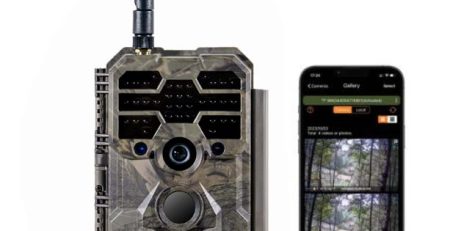
| 4G (cellular) | Photos and video sent to the app on your phone | Remote sites, security, daily reports without visits | X50, X60P, X60P Pro Max Live, X70 Pro, X80 Pro |
One point causes a lot of confusion: Wi-Fi on a trail camera is not a connection to your home Wi-Fi network. On most models the phone wakes the camera via Bluetooth and then connects to a temporary hotspot created by the camera, so you can change settings or download files while standing nearby. If you want images while you are at home, you need 4G.
3. Ignore the megapixel race
Numbers such as 48, 60 or 64 MP and “4K” or even “8K” on the box are often interpolated: the camera’s software enlarges a smaller image to reach the advertised figure. A larger file is not a sharper image. In our experience a well-built camera with a 24 MP rating often matches or beats a 60 MP camera, because what really shapes the image is the sensor size, the lens, the infrared illumination and the processing software.
The same applies to video. We have seen “8K” video from one camera that was only comparable to good 720p from a GardePro X60 Pro Max. Before you buy, ask for real, unedited sample images and clips at night, at the distance you care about, and look at them at full size on a computer.
4. Night image and infrared
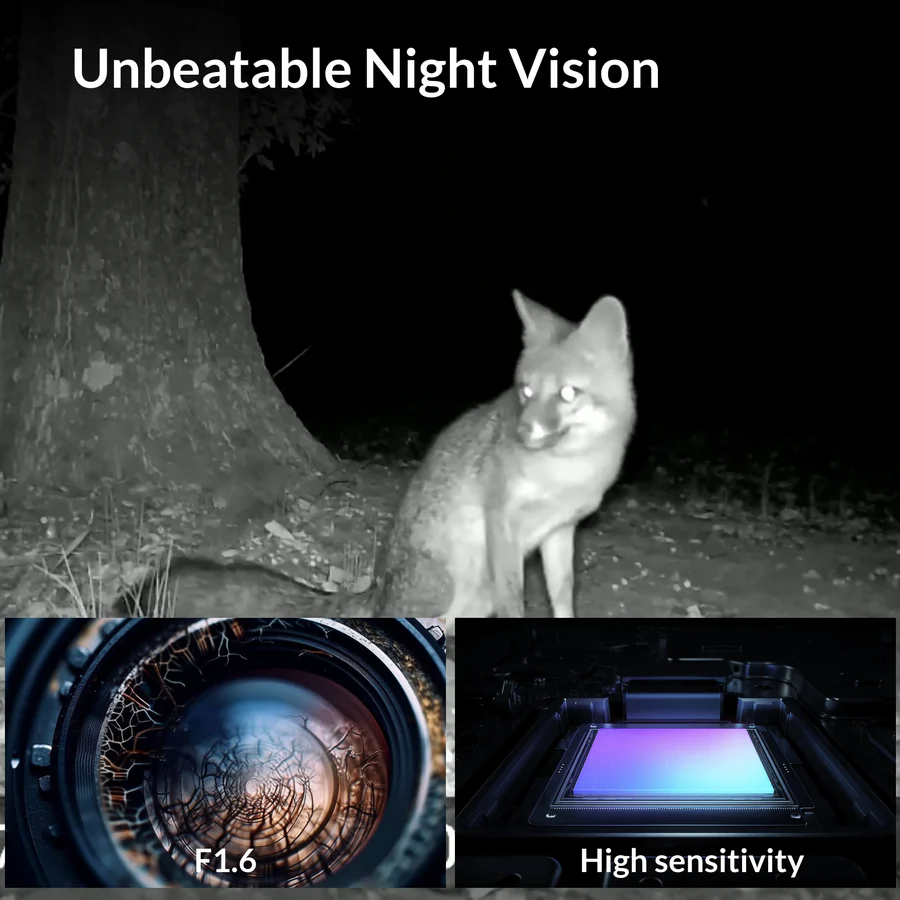
Most animals you want to see move at dusk and at night, so the night image is where cameras really differ. Look for three things:
- Even illumination: close animals should not be burned white while the background stays black. GardePro uses adaptive infrared, which adjusts the IR LED power to the distance of the subject, so close animals are not overexposed and distant ones are not too dark.
- No-glow 940 nm LEDs if you want the camera to stay unnoticed by game and people. All current GardePro cameras in our range use 940 nm no-glow IR with a range of approximately 30 m.
- Clean contrast: true blacks and whites rather than the grey “white haze” that many cameras produce at night.
5. Trigger speed and detection range
Trigger speed is how long the camera needs from detecting movement to taking the picture. A slow camera gives you empty frames and animal backsides. Be sceptical here too: some very cheap cameras advertise 0.1–0.2 s, but when we tested them the real delay was 6–9 seconds.
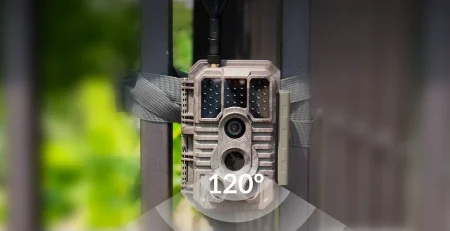
GardePro cameras trigger in about 0.1 s and use three PIR sensors that together cover approximately 120°. The two side sensors wake the camera before the animal reaches the centre of the frame, which is why the animal is in the picture when it is taken.
Detection range matters at feeding sites, field edges and gates. GardePro and Bolyguard cameras detect movement up to about 30 m (GardePro specifies a PIR range of about 27 m at temperatures below 25 °C), while most trail cameras manage 20 m or less.
6. Video: what you actually see on your phone
For security in particular, video tells you far more than a single photo. The question is not only the resolution but whether you can see the whole clip on your phone without using a lot of data. GardePro’s Lite Video first shows the complete clip at about 2 frames per second, so you can judge it in seconds and download the full-resolution video only when it is worth it.
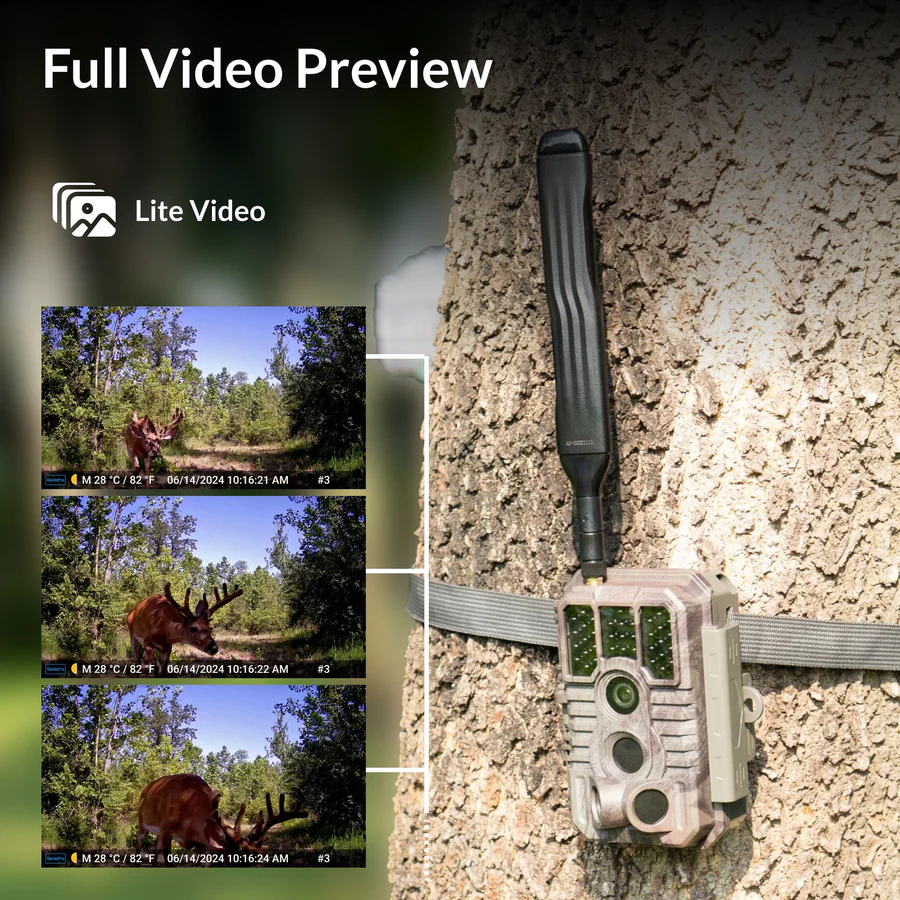
On the 4G GardePro models you can also open a live view from the phone on the live-view versions; in our experience the picture appears in about 3 seconds. Live view runs only when you start it, so it is not a permanently streaming security camera.
7. Power: AA batteries, Li-ion, 12 V or solar
Battery life depends on how many triggers the site produces, whether you record video and, for 4G cameras, how much is sent and how strong the signal is. What you can control is the type of power:
- AA batteries (for example X50, A60, X80 Pro) are quick to swap in the field and practical if you move the camera often. Cheap alkaline cells lose voltage in the cold, and the PIR, infrared or sensor are often the first to suffer.
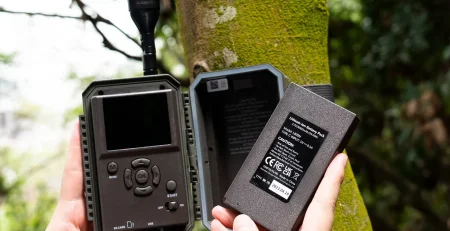
- A built-in Li-ion battery (for example X60P, X60P Pro Max Live, X70 Pro) holds its voltage better and is recharged via USB-C.
- External 12 V or a solar panel keeps a fixed site running for a long time between visits. Our GardePro model and power guide explains which solar panel fits which camera.
8. Running costs: the price on the box is not the price
For 4G cameras the real cost is the camera plus 12–24 months of connection and cloud. There are two business models:
- Unlocked SIM: you insert a data SIM from the operator that works best at your site and pay that plan. In our experience a suitable data plan can cost as little as about €2.50 a month, depending on your country and operator.
- Locked or integrated SIM with the maker’s cloud: the camera only works with a factory-assigned connection, and viewing images, video or HD versions is paid through a subscription or credits. From customer experience this costs at least 3 to 10 times more than an unlocked SIM.
A simple example from practice: at around €13 a month instead of €2.50, a cheaper camera often ends up costing about twice as much within one to two years. Also be wary of sellers who advertise a “satellite” connection; in almost all cases the camera uses ordinary 4G/LTE. The details, including a checklist for testing signal, are in our guide to 4G trail cameras and SIM cards in the EU.
9. App, support and warranty
You will use the app far more often than the camera’s buttons. Before buying, ask: is cloud storage free, are HD photos and full videos free, and is there a paid tier for basic functions? With GardePro, cloud storage, video sending and HD requests are free in the app, with no subscription for the basics. Firmware updates over the air and support from a seller who knows the product matter as much as the hardware. GardePro cameras come with a 2-year warranty.
10. Quick checklist before you buy
- Job defined: game, security or both.
- Delivery chosen: SD, Wi-Fi on site, or 4G to the phone.
- Real night samples checked at full size, not the megapixel figure.
- Trigger speed and detection range credible for your site.
- Video viewable on the phone without wasting data.
- Power option fits how often you visit (AA, Li-ion, 12 V, solar).
- Costs added up over 12–24 months, SIM and cloud included.
- Free app functions, updates and a 2-year warranty confirmed.
Which GardePro camera fits which job
Transparency: Scoutguard EU sells GardePro. Our suggestions are based on service and field experience with these cameras.
- GardePro X60P Pro Max Live: our most popular all-rounder. Live view on demand, unlocked SIM, 8000 mAh Li-ion battery, free cloud and app, fast trigger and adaptive IR.
- GardePro X50: 4G without live view on AA batteries, practical when you move the camera between sites.
- GardePro X70 Pro GPS Live: live view plus built-in GPS and a 7800 mAh Li-ion battery, useful when you run several cameras over a large area.
- GardePro X80 Pro GPS Live: Sony Starvis sensor, 64 MP photos and 4K video, live view and GPS, for when image detail matters most.
- GardePro A60 and A80: no SIM and no running costs, recording to SD (A80 adds on-site Wi-Fi).
An independent hands-on test of the X60 Pro Max live-stream model, including night footage:
All GardePro cameras are in the GardePro category.
Key takeaways
- Choose by job and by how you receive images, then by night image, trigger speed and range.
- Megapixels and “4K/8K” on the box are often interpolated; ask for real samples.
- Wi-Fi on a trail camera is a short-range link to your phone on site, not home Wi-Fi.
- Add up 12–24 months of SIM and cloud costs; an unlocked SIM is usually far cheaper.
- Free app functions, firmware updates and a 2-year warranty are part of the product.
Frequently asked questions
Are more megapixels always better?
No. Megapixel figures are often interpolated by software. Sensor size, lens, infrared and processing decide the real image. Compare full-size night samples instead.
Do I need a 4G camera?
If you cannot visit the site regularly, or you use the camera for security, yes. For sites you visit every week, or places with no mobile signal, an SD-only camera such as the A60 is enough.
Can a Wi-Fi trail camera send images to my home?
No. Trail camera Wi-Fi is a short-range link between the camera and your phone on site. For images at home you need a 4G camera.
What does a 4G trail camera cost to run?
With an unlocked SIM you pay your own data plan, in our experience from about €2.50 a month depending on country and operator. Cameras with a locked SIM and paid cloud often cost 3 to 10 times more.
Is live view the same as a security camera?
No. Live view runs only when you open it in the app. The camera still works as a trail camera that triggers on movement.
What warranty do GardePro cameras have?
Two years.
Information is provided for general guidance; check the specifications on the product page or with the manufacturer.