Trail camera false triggers: causes and how to stop them
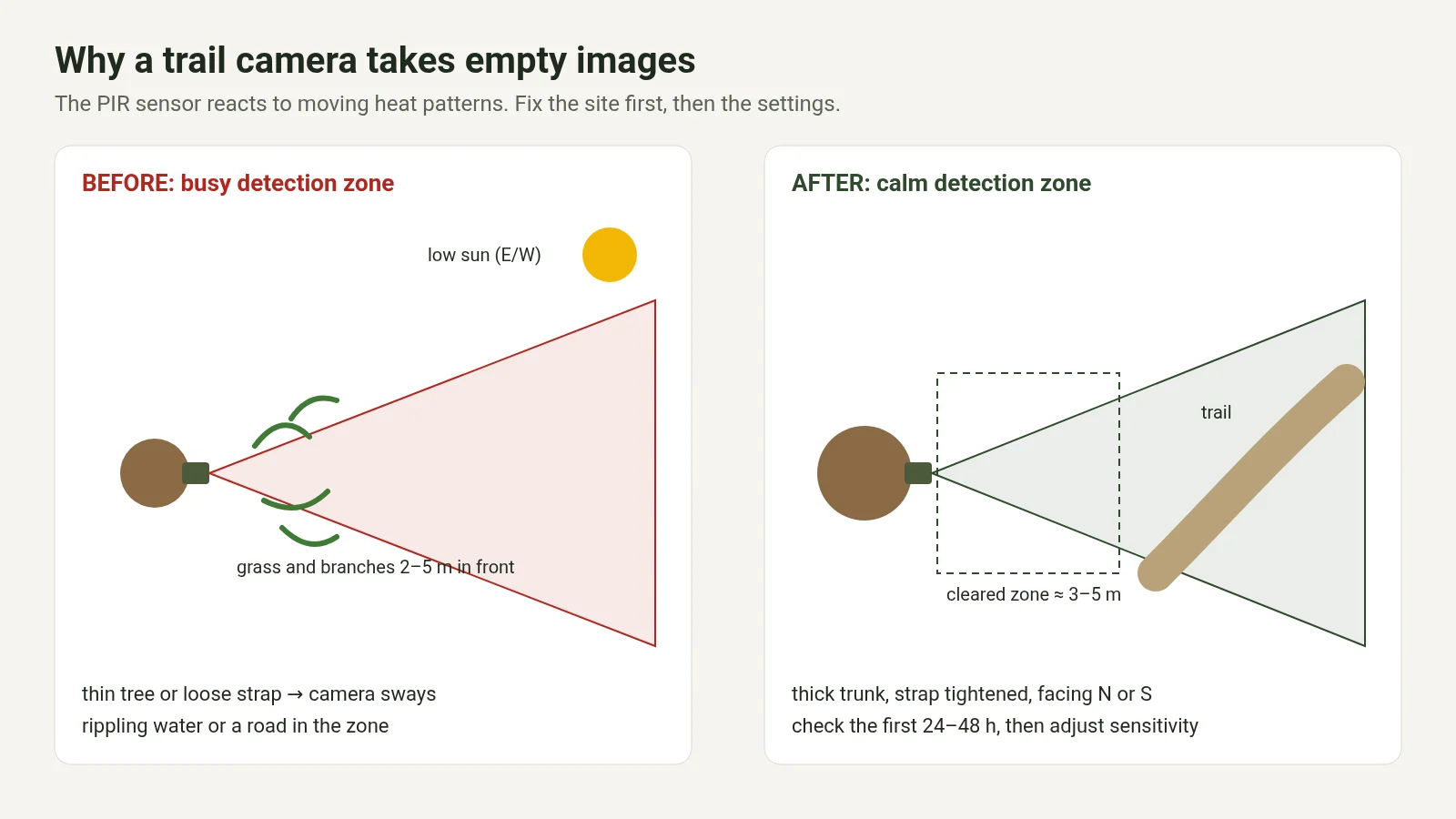
Short answer: the PIR sensor reacts to changes in heat across its field of view. Most empty images come from branches or grass moving in front of the sensor, sunlight, a camera that sways, or sensitivity set too high. Clear the zone in front of the camera, fix it to a stable trunk and turn it away from the sun. If the site itself is wrong, lowering the sensitivity will not stop the empty images. Move the camera instead.
False triggers are the hidden cost of a trail camera: flat batteries, used-up 4G data and hours spent deleting empty frames. Most of them can be stopped at the site itself, by clearing what moves in front of the sensor, mounting the camera solidly and keeping it out of the sun. Height, angle and site choice are covered in our guide on where to place a trail camera. Here we explain why a camera records empty frames and how to stop it, step by step.
1. What the PIR sensor actually detects
A passive infrared (PIR) sensor measures changes in infrared radiation, in other words heat, between zones in its field of view. When a warm-blooded animal crosses those zones, the heat pattern changes quickly enough and the camera wakes up. The same sensor is also triggered by:
- a branch moved by the wind in front of a warmer or cooler background,
- a patch of sunlight moving across the ground or grass,
- rippling water that reflects infrared like a moving mirror,
- the camera itself shaking on a thin tree or in a loose housing.
So an empty image is often technically correct: the sensor did detect a change in heat. The picture just shows a branch, sunlight or nothing at all.
2. Why empty images cost more than you think
Every false trigger wakes the camera, switches on the infrared at night, writes a file and, on 4G models, sends it. Hundreds of them a day drain the battery, use data and your time in the app, and in video mode an animal often arrives in the middle of an empty clip that is already running.
With a strong battery and an unlocked SIM on a generous data plan, false triggers are mostly a nuisance that costs time when you review images. They hurt most on cameras tied to a paid subscription with a fixed number of photos, where every empty image uses part of what you paid for. A full card is not usually the problem on a good camera: most overwrite the oldest files (loop recording), and the app shows how full the card is and lets you clear it remotely.
3. Quick table: what you see and what to do
| What you see | Most likely cause | What to do |
|---|---|---|
| Series of empty images on windy days | Branches or grass in front of the PIR | Clear the zone in front of the sensor; repeat after spring growth |
| Many empty images in the morning and evening | Sun in the lens or on the ground | Face north or south, find shade; mind possible sensor damage |
| Empty images even in calm weather | Thin tree or loose housing | Thicker tree, tightened strap |
| Strange reflections at night | Cobweb, drops or insects on the lens | Wipe the lens and the PIR’s Fresnel lens |
| Odd behaviour or distorted images | Cheap AA or NiMH cells losing voltage | Fresh quality cells or Li-ion |
| Still chaos after cleaning and testing | Hardware variation in the batch | Wall test, firmware, another unit or model |
4. The usual culprit: things moving in front of the sensor
This is the most common cause in the field. Grass, twigs, leaves or a climbing plant in the first metres in front of the sensor change the heat pattern whenever the wind moves them. The camera records motion; the picture shows a branch.
- Clear the first 2–5 m in front of the sensor; in open ground, 3–5 m. Remove anything that moves: tall grass, hanging branches, dry stems.
- Take secateurs or a small saw with you. Clearing is part of the installation.
- Plan for spring growth: a site that is clear in March can be full of leaves in May. Go back and clear again after a growth spurt.
- If you cannot remove the obstacles, move the camera so the bushes are outside the detection zone.
Branches in front of the lens cause empty images even when the camera is mounted at 3–4 m.
5. An unstable mount: the camera that moves itself
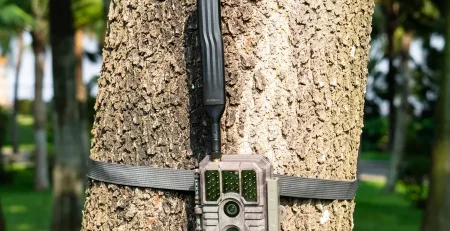
If the camera shakes against the background, the PIR reads that as movement in the frame. A strap on a thin tree or a loose housing produces empty images even on a still day.
- Choose a thicker, stable tree or a solid post. A thin spruce in the wind produces a series of empty images.
- Tighten the strap and screws, and make sure the housing does not rock.
- In a protective metal box, secure the camera if it can move. A few millimetres of play is enough to cause false triggers.
- After mounting, push the housing gently with your hand. If it moves noticeably, fix it before you leave.
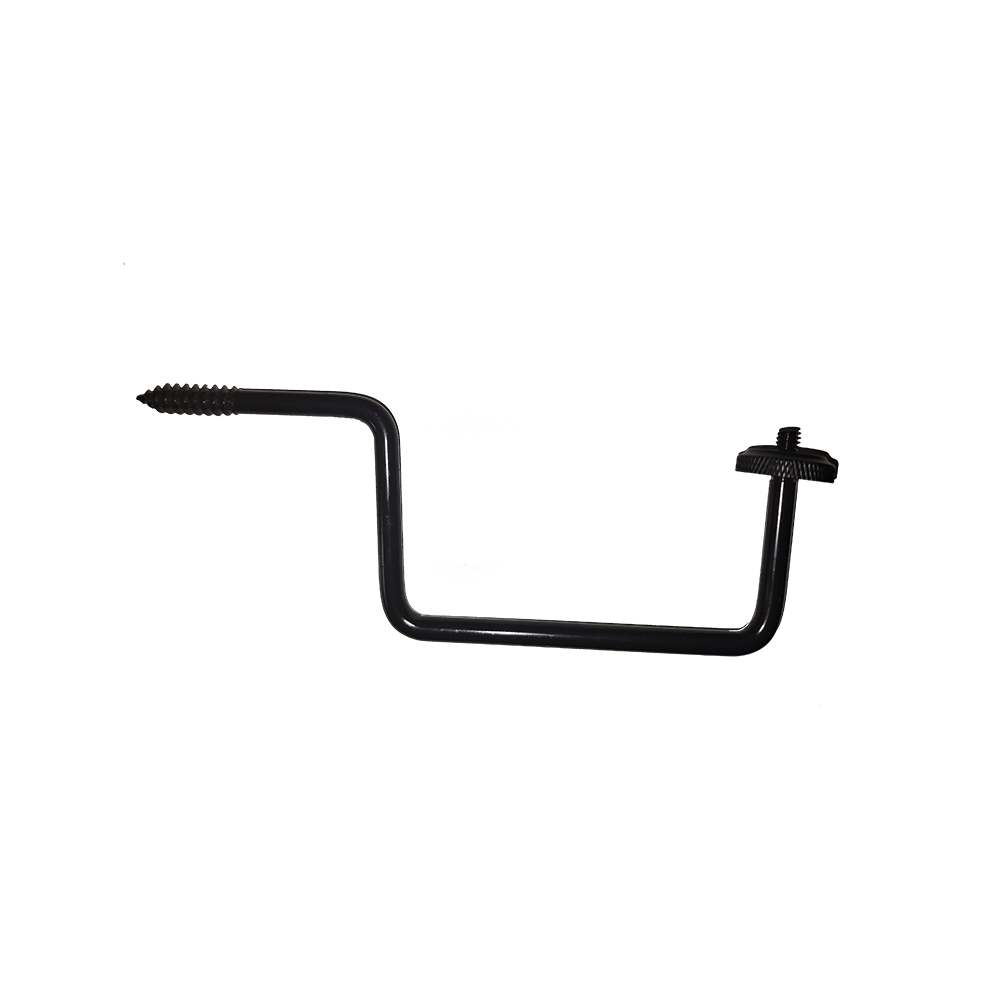
The GardePro tree mount holds the camera firmly and lets you set the angle precisely.
6. Sun: false triggers and a risk to the sensor
Facing east or west brings the morning and evening sun into the lens and onto the ground. The PIR reads moving patches of sunlight as warmer zones, and you get a series of empty, often overexposed images. Where possible, face north or south; in the northern hemisphere a north-facing camera is often the calmest with respect to the sun. If the trail forces you to face east or west, look for natural shade, such as a tree crown or a ridge, that blocks direct light on the sensor and on the ground in the frame. Pointing a camera into the sun for long periods can also damage the sensor.
A sun-warmed rocky background with small grass in between creates a very lively heat scene. In shade, with bare ground in front, the same camera produces far fewer empty images.
7. Water, rain, snow and cobwebs
- Water: still water is thermally even, but waves and reflections bounce infrared like a moving mirror, especially when the camera looks into the sun over the surface. If the camera must stand near water, keep the sun out of the reflection and check the first 24 hours.
- Rain and snow: drops on the lens, wet leaves and snowflakes. Wipe the lens and the PIR’s Fresnel lens now and then with a soft cloth, without scratching.
- Cobwebs, insects and dirt on the lens or the Fresnel lens are lit up by the night infrared, causing strange reflections and many empty images. Check and gently clean them on every visit.
8. Small animals, shadows and empty night images
A mouse, bird or squirrel triggers the camera and is already out of the frame, or is too small to notice in the thumbnail. This happens more often when the camera is mounted low, below about 1.5 m, where theft and moisture are also more common.
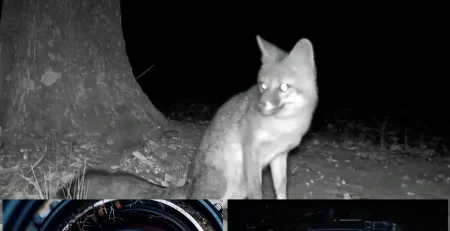
At night in the woods, the PIR may detect heat moving in the background, for example through branches. The camera records a dark frame because the subject is out of infrared range or behind an obstacle. Make sure the detection zone covers the trail where animals walk; if the camera triggers on movement far behind the trail, you get empty frames from the background. Weak infrared LEDs add to the problem by producing washed-out night images even of real animals.
9. Settings: sensitivity, interval and shots per trigger
PIR sensitivity
PIR sensitivity and a false-trigger suppression function will not stop empty images if the site is wrong. A camera facing a cornfield triggers every time the sun comes out or the wind blows, even on low sensitivity with suppression on high. Fix the site first: clear obstacles, secure the mount, keep the sun out. If that is not possible, move the camera. On a hot day, animal and background are thermally similar, and sensitivity that is too low will miss real passes. Once the site is right, look at the ratio of useful to empty images after 24–48 hours, and only then raise or lower sensitivity.
Interval between triggers
An interval of 30–60 seconds or more limits empty images on a windy day, but a longer interval can cut off part of a real pass. Lengthen it temporarily at a problem site until you have cleared it, then shorten it again.
Multiple shots and video
Bursts of photos or long video clips on every false trigger multiply battery and, on 4G, data use. Use single photos or short clips until the site is sorted.
Working hours
Some models let you limit recording hours. Many false triggers fall in the middle of the day, between 10:00 and 16:00, when wind and sun work together, while target animals are often more active in the morning and evening. If your species rarely appears in daytime, you can switch off the worst hours for a while, accepting that you may miss a rare daytime pass.
Batteries
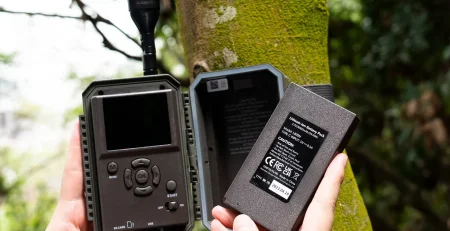
Power has a big effect. With cheap alkaline AA or rechargeable NiMH cells, voltage can drop sharply and starve components. Depending on the brand, the PIR fails first, or the infrared, or sometimes the image sensor, and images look as if the camera were broken. If you suspect power, try fresh quality cells or the Li-ion power the model is designed for, then check the site and the camera.
10. Diagnosis: finding out what is going on
- Look at the times on the empty images. If they cluster between 10:00 and 16:00 with sun or wind, it is the site and orientation. If they come evenly around the clock, suspect branches, an unstable mount or the sensor.
- Wall or indoor test, as manufacturers’ service advice suggests: if false triggers stop in a controlled environment, the site is to blame. If they continue, check the firmware and the Fresnel lens, then contact support.
- Test walk after installation: walk along the trail at the expected distance and check that the camera triggers where you want and the background stays calm.
- Review the first 24 hours, straight away in the app on 4G models or on your next visit otherwise. If most images are empty, do not wait a week; fix the site and settings.
11. Checklist: before you leave and after 24 hours
Before you leave:
- Obstacles in front of the PIR cleared; seasonal growth anticipated.
- Stable tree and mount; housing does not rock.
- Facing away from direct morning and evening sun where possible.
- Detection zone covers the trail; background behind it is calm.
- No field, tall grass or wind-blown branches in the frame.
- Interval and shots per trigger suited to the site.
- Test walk done; lens and PIR cleaned.
- On 4G: signal checked at the spot.
After 24–48 hours: check the share of empty versus useful images and when the empty ones happen, then clear again, move or turn the camera, or reduce shots per trigger.
12. When to suspect the camera
Suspect the sensor, firmware or model only when you have cleared obstacles, stabilised the mount, moved the sun and reflections out of the frame, checked batteries and voltage, checked or changed the site and run a wall test, and you still get hundreds of empty images an hour or triggering that never stops. A firmware update, over the air where available, is sometimes part of the solution.
With very cheap cameras from online marketplaces, and models with unknown or frequently changing names, PIR and sealing quality can vary a lot between batches and from unit to unit. Installation cannot fix that. The name on the housing also does not always tell you who made the camera: the same factory hardware can be sold under several brands. The Chinese manufacturer Suntek, for example, states that it also builds trail cameras as OEM/ODM for other brands (source: Suntek, About us). Before buying, check who makes the camera, who issues firmware updates, who maintains the app and who handles warranty service.
What counts is predictable quality control, a stable PIR and infrared, and fewer false triggers. With GardePro, from service and field experience, the fast PIR and adaptive night infrared make the difference. Scoutguard EU sells GardePro.
13. Seasons and walk-test mode
False triggers change with the seasons: early spring growth, summer wind in tall grass and autumn leaves all call for a return visit. Clear the zone again after a big growth spurt, and before an absence of more than a week check the site with a test walk and set a sensible interval. If your camera offers a motion test mode, such as a flashing LED on detection, use it to align the detection zone with the trail and find triggering obstacles before you leave.
The right camera once the site is sorted
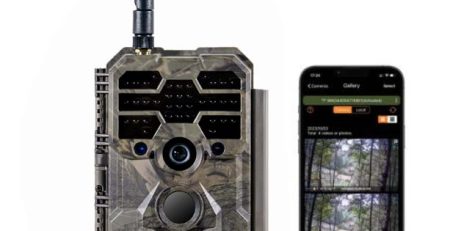
Once the site is set up, a 4G camera shows you on day one whether it still produces empty images, so you can fix it before they use up battery and data. For that check, the GardePro X60P Pro Max Live is the right choice: live view shows the frame and any obstacles. See also the GardePro X50. GardePro cameras come with a 2-year warranty.
Key takeaways
- The PIR detects changes in heat, not animals as such.
- Clear obstacles first, then fix the mount, then the sun, then settings, then the brand.
- Lower sensitivity does not fix a wrong site; fix or move the site first.
- False triggers hurt most on cameras with paid photo subscriptions.
- Reviewing the first 24 hours and the timestamps shows where empty images come from.
Frequently asked questions
Why do I get so many empty images?
Most often branches, grass or leaves in front of the PIR, a camera facing the sun, an unstable mount or sensitivity set too high. Clear the zone, check the strap and tree, then adjust settings.
Why are my night images empty?
Obstacles in front of the sensor, rain or cobwebs on the lens, small animals that have already left the frame, or something in the background out of infrared range. Clean the lens, clear obstacles and make sure the zone covers the trail.
Should PIR sensitivity always be on maximum?
Sensitivity does not fix a wrong site. Fix the site first, then adjust sensitivity after 24–48 hours based on the share of empty images.
Does live view help against false triggers?
Live view shows the frame, obstacles and orientation before you go out to the camera. You still clear the obstacles on site.
How far in front of the camera should I clear?
At least the first few metres, everything that moves; in open ground often 3–5 m. If clearing is not possible, move the camera.
Can batteries cause strange behaviour?
Yes. Cheap AA or NiMH cells can lose voltage sharply, and the PIR, infrared or image sensor may misbehave. Try fresh quality cells first, then check the camera.
Are very cheap cameras more prone to endless triggering?
PIR and sealing quality on very cheap models can vary a lot between batches and units. Sort out the site and batteries first; if a wall test still shows chaos, it is the unit, not the installation.
Information is provided for general guidance; check the specifications on the product page or with the manufacturer.